
You need to book a timeslot by following the link you will get after announcing the arrival of the goods onto our portal. You will go to the page as shown on the image below after pressing on the link.
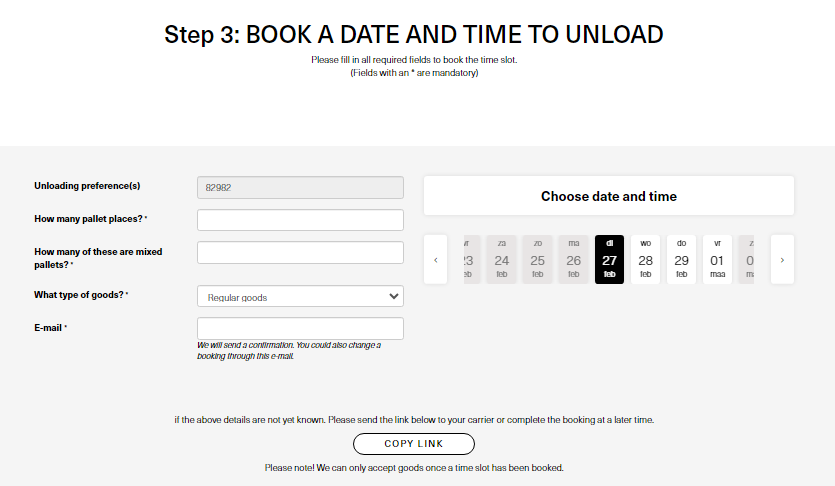
You need to fill in the following information on this page:
- Unloading preference(s): This number is the unloading reference, the driver needs this number to unload the goods at our warehouse.
- The number of pallets we're going to receive with this inbound.
- How many of those pallets will be mixed with different SKU's.
- The type of goods.
- Your email adress
- The date and timeslot the driver will arrive at our warehouse.
You can forward this link to your carrier if you don't know when the goods will arrive at our warehouse, they can book the timeslot themself with this link.
How do I change a booked timeslot?
You can use the same link to change an already booked timeslot. Otherwise please ask our
Your opinion is important to us! We consistently aim to offer you the most valuable information. Would you be so kind to answer the question below?