
- You place orders via the customer portal:
- After you’ve completed your shopping cart and placed the order, you will be redirected to a confirmation page.
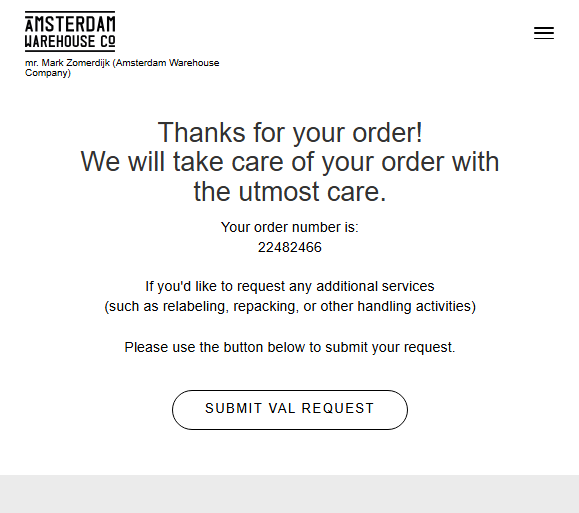
- On that page (see above), you’ll find a link to the VAL request form. 'SUBMIT VAL REQUEST'.
- Fill in the form with your order number and required activities (e.g. labeling, repacking, adding documents).
- Our team will receive your request, and the VAL process will be initiated once the order has been picked.
⛔ Important: It is no longer possible to request VAL jobs by email or during checkout. Only form submissions will be accepted.
⛔ Labeling requests require a print-ready PDF. No file yet? Create one with AWC Label Studio.
- After you’ve completed your shopping cart and placed the order, you will be redirected to a confirmation page.
- You place orders via API or sFTP (xml):
-
After your order is sent via API/sFTP and confirmed in our system, you’ll need to manually submit the VAL request via this form:
Submit VAL Request -
Always include the correct order number so we can match the request to your shipment.
-
The rest of the process remains the same: you’ll receive a sample for approval (unless it’s a repeat job), and once approved, we’ll execute the activity.
-
Your opinion is important to us! We consistently aim to offer you the most valuable information. Would you be so kind to answer the question below?